
Most app ideas don’t happen while sitting in an office.
They appear during everyday moments, while traveling, managing work, scrolling through your phone, or thinking about a problem that could be solved better.
The exciting part is that building an app no longer requires a huge development team or months of coding.
Today, an AI app builder can help turn your idea into a working app simply through prompts and instructions.
But there’s one thing many people realize quickly:
The quality of your app depends on the quality of your prompt.
A better prompt helps AI understand your vision, features, design style, and user experience more clearly. And when that happens, the results feel far more polished and usable.
An AI app builder is a platform that uses artificial intelligence to create apps based on user instructions.
Instead of writing complex code, users explain what they want in simple language, and the AI generates layouts, workflows, screens, and app features automatically.
Many platforms now also work as a no-code AI app builder, making app development accessible for founders, creators, startups, and businesses without technical backgrounds.
People are now using these tools to build:
Ecommerce apps
Delivery platforms
Booking systems
Fitness apps
Business tools
Internal dashboards
faster than traditional development methods.
AI is powerful, but it still needs direction.
If your prompt is too short or unclear, the app output will usually feel generic.
For example:
“Create a food app.”
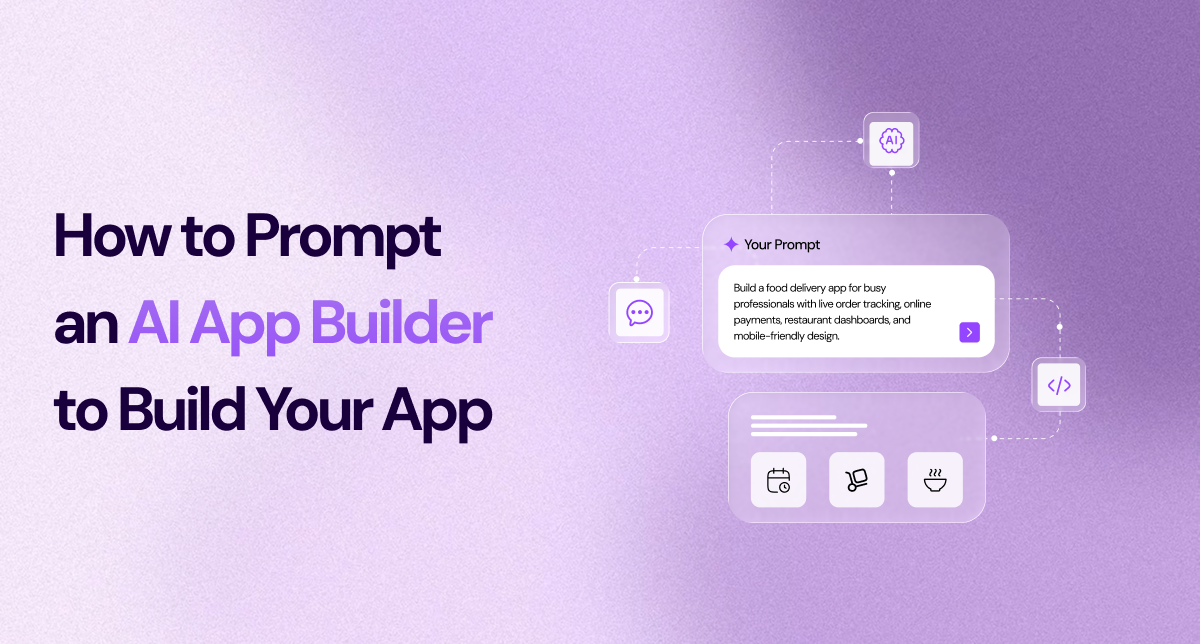
“Build a food delivery app for busy professionals with live order tracking, online payments, restaurant dashboards, and mobile-friendly design.”
The second version gives the AI context, audience, functionality, and experience goals.
That’s what helps the app feel more intentional and useful.
The best prompts begin with clarity.
Before listing features, explain what the app actually does and who it’s for.
“Create a fitness tracking app for beginners who want simple workout plans and daily progress tracking.”
This helps the AI understand the purpose behind the product instead of only generating random features.
Once the app idea is clear, start adding functionality.
Mention the features users will actually interact with.
User login/signup
Notifications
Payment integration
Search filters
Dashboards
Chat systems
Booking management
“Include user profiles, subscription plans, workout history, reminders, and progress analytics.”
Clear feature instructions help the AI app generator build a more complete experience.
Modern apps are not only about functionality.
People care about clean and smooth experiences, too.
That’s why design instructions matter.
“Use a modern minimal UI with simple navigation, soft colors, and mobile-first responsiveness.”
You can also mention:
Brand style
Layout preferences
Dark mode
Fast navigation
Simple onboarding
These details help the app feel more polished and realistic.
One of the easiest ways to improve AI-generated apps is by describing how users move through the platform.
“Users should sign up first, complete their profile, explore workout plans, and track progress from their dashboard.”
This creates better screen flow and a more natural user experience.
A common mistake is trying to build an entire app in one giant instruction.
That often creates confusing results.
The smarter approach is to improve the app gradually.
Start with the app concept
Add key features
Improve design and layout
Refine user flow
Ask AI for updates and optimizations
This process gives you better control over the final product.
Traditional development can take months and require large budgets.
But businesses today need speed and flexibility.
That’s why no-code AI app builder platforms are growing rapidly. They help teams:
Launch ideas faster
Reduce development costs
Build without coding knowledge
Test products quickly
Update features in real time
For startups and creators, this makes experimentation much easier.
If you’re unsure how to write prompts, use this simple structure:
What the app does
Who it’s for
Main features
Design style
User experience goals
“Create a mobile e-commerce app for fashion brands with product search, payments, order tracking, user profiles, and an admin dashboard. Use a clean, modern design with fast mobile navigation.”
Simple prompts with clear direction usually perform best.
AI-powered app development is making it easier than ever to turn ideas into real products.
You no longer need advanced coding skills to create useful digital experiences. With the right AI app builder, you can move from idea to app much faster than traditional development methods.
The key is learning how to guide AI with clear and thoughtful prompts.
Better instructions create better apps
And platforms like Creative AI help simplify that process by allowing users to build complete app experiences faster, smarter, and without the complexity of traditional coding.
Turn your ideas into fully functional apps using intelligent automation. Design, build, and launch, all in one seamless workflow.
Build Your App Today!